

Wireless Self-Ordering Kiosks: Network Architecture and Business Continuity
The lunch rush is unforgiving. In high-traffic quick-service restaurants and retail stores, a failing wireless self-ordering kiosk during peak hours immediately stalls store operations.
Definition and Mechanics of Wireless Ordering Kiosks
To prevent point-of-sale failures, operational teams must understand the internal architecture of autonomous touchscreen kiosks.
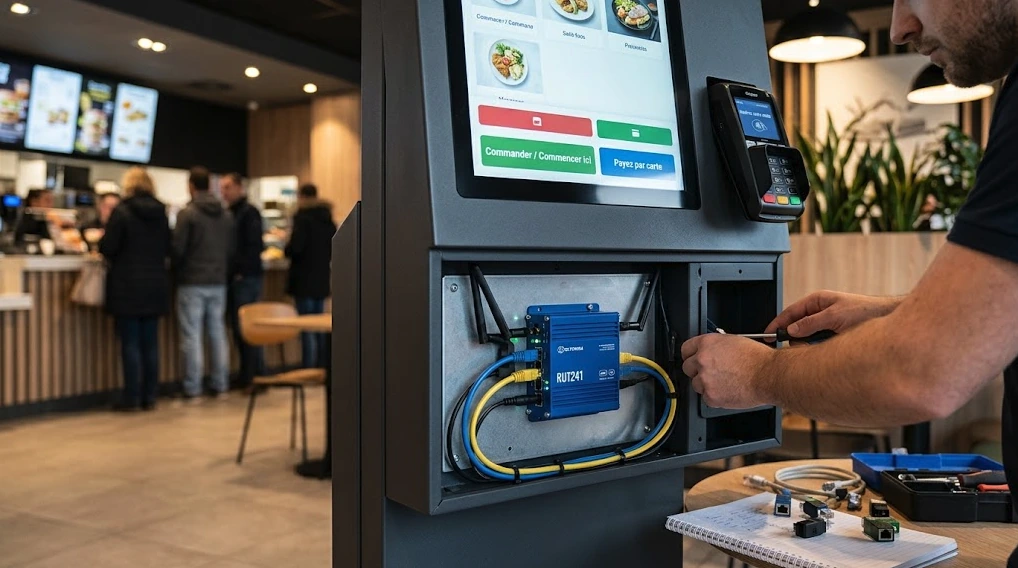
A wireless ordering kiosk is an autonomous touchscreen terminal linked to the POS system via a radio link (enterprise Wi-Fi or private 4G/5G cellular router), without a physical Ethernet cable back to the server rack. It captures customer selections, sends shopping carts to the primary POS system, and triggers payment gateway authorizations.
On the hardware side, this setup eliminates concrete trenching and wall raceways. The unit integrates an industrial touch display, an EMVCo compliant payment terminal, and a wireless network interface running real-time sync with POS software. The kiosk runs zero local databases. Every confirmed order triggers a series of synchronous API requests to the production server. This setup requires continuous, predictable network availability.
The Flexibility Trap vs. Micro-Outage Reality
Deploying an ordering kiosk without pulling network drops appeals to operations teams. Installation takes minutes in the center of a dining room or on a covered patio. Yet this apparent flexibility introduces a technical vulnerability: the deterministic reliability of an RJ45 Ethernet link gives way to an unpredictable RF environment.
The lunch rush generates 60% of daily revenue in a narrow 90-minute window. At 12:15 PM, foot traffic spikes. Lines form fast. If kiosks drop offline for just 8 minutes, in-store wait times stretch beyond 45 minutes. Customers fall back to manual checkout counters, registers back up, and order abandonment spikes.
The root cause is rarely an electrical shutdown. The point of failure sits in the radio transport layer. As soon as jitter rises or packet loss exceeds 2%, IETF RFC 9293 TCP sessions tied to HTTP/REST requests to the POS time out. The screen shows a spinning loading icon. Worse, the integrated card reader hangs while waiting on the payment gateway.
The order is caught in limbo. The customer does not know if their card was charged. Kitchen tickets never print. This desynchronization between the frontend display and POS software kills operational throughput during the most profitable hour of the day.
The Common Trap: Kiosks on Guest Wi-Fi or Consumer Gateways
Connecting a touch kiosk to an off-the-shelf ISP router looks cheap. In reality, this operational shortcut brings payments to a halt during the very first foot-traffic surge.
RF Saturation from Customer Smartphones
The wireless spectrum leaves no margin for error.
In a dining room, the 2.4 GHz band saturates as soon as forty patrons walk in with active smartphones. Every handset sends out continuous probe requests scanning for known SSIDs, driving up background RF noise. Management frames pile up. Airtime contention peaks under IEEE 802.11 contention rules, and usable channel capacity collapses within seconds.
Without VLAN segmentation per PCI DSS v4.0 standards, payment transactions share bandwidth with customer web traffic and background music streaming. The technical impact is direct: a guest streaming video delays cart submissions on the kiosk. TCP packets containing payment tokens suffer collisions, inflating application latency until transactions fail.
Infrastructure Warning: Combining kiosk transactions and public traffic on an unpartitioned access point exposes stores to preventable outages and critical payment compliance violations.
To bypass Wi-Fi issues, operators often experiment with off-the-shelf modems, introducing severe architectural flaws.
Why USB Dongles and Basic Extenders Fail in Production
Consumer USB cellular modems and Wi-Fi range extenders fail under load due to zero active thermal management, dropped DHCP leases, and a lack of MIMO external antennas or static IP support. Their low-cost firmware freezes under sustained concurrent transactions.
As detailed in our analysis on why enterprise 5G dongles fall short, entry-level hardware cannot sustain commercial uptime. Sealed inside an unventilated metal kiosk enclosure, a consumer USB modem quickly tops 65°C (149°F). This heat causes thermal throttling on the baseband processor, dropping the cellular link entirely.
DHCP leases assigned by low-end hardware fail to renew reliably per IETF RFC 2131 specifications. When an IP drops mid-order, the API call to the payment gateway aborts immediately. The kiosk throws a generic error with no automated session recovery.
These dongles lack external antenna taps to pull signal through kiosk sheet metal. They cannot handle multi-carrier failover. If the local cell tower experiences congestion, the kiosk goes dark, forcing floor staff to perform manual reboots during peak service.
The Architectural Shift: Dedicated Cellular Transport
A self-ordering kiosk is not an office printer.
Inside a store, this touchscreen drives the bulk of direct sales. Treating it as secondary IT hardware is an architectural flaw. When a device handles real-time revenue collection, it demands a zero-tolerance critical infrastructure design backed by complete transport layer isolation.
Physical Separation of Payment Data and Store Traffic
Cutting the Ethernet cable must never mean sharing local network bandwidth.
During order transmission, every millisecond counts to prevent walkouts. Network benchmarks from telecom authorities like ARCEP prove that application session stability depends directly on predictable jitter and packet delivery. When kiosks share the store's primary broadband connection, in-store video streams and guest Wi-Fi clog local queues.
The engineering fix is clear: isolate kiosks on an autonomous, dedicated wide area network (WAN). Stop sharing local links and physically isolate the transport layer.
Each kiosk or cluster connects directly to an industrial cellular gateway equipped with multi-carrier SIMs. This private connection avoids local RF interference and maintains sub-50 ms latency, satisfying payment transaction standards outlined by the PCI Security Standards Council. Payment traffic and POS API calls stay immune to dining room bandwidth spikes.
Network Warning: Logical VLAN separation on a shared ISP modem does not protect against physical fiber cuts or local RF saturation. For enterprise resilience, an enterprise 4G/5G backup router remains the only defense against retail downtime.
The ROI Formula: Downtime Costs vs. Redundant Telecom
Financial teams often track the wrong metrics when evaluating connectivity.
Comparing an enterprise cellular line directly to consumer broadband misses the point. ROI comes down to calculating the cost of downtime during peak trading hours.
The operational math is simple:
- Average kiosk throughput: 30 orders completed per hour during lunch peaks.
- Average ticket size: $20 per order.
- Direct revenue risk: 4 kiosks offline for 2 hours equals $2,400 in unrecoverable sales.
That calculation ignores brand damage and walkaways caused by long queues. When customers see blank screens, they go elsewhere. Compared to thousands of dollars lost in a single lunch shift, deploying redundant multi-carrier cellular hardware pays for itself during the first averted outage.
High-Availability Architecture for Wireless Kiosk Fleets
Wireless ordering hardware leaves no room for poor engineering. A single dropped TCP packet breaks an EMV card authorization. The terminal freezes, the transaction drops, and customer frustration mounts.
Connection Pipeline: From Touchscreen to Core POS
The setup relies on end-to-end radio isolation. The kiosk connects over a hidden Wi-Fi 6 (802.11ax) SSID secured via Wi-Fi Alliance WPA3-Enterprise encryption. This link connects directly to an industrial cellular router equipped with dual SIM cards. Traffic never touches the local store network.
[Interactive Touch Kiosk]
       │
       ▼  (Dedicated Wi-Fi 6 WPA3-Enterprise)
[Industrial Multi-SIM Router]
       │
       ▼  (IPsec AES-256 Tunnel / RFC 4301)
[4G/5G Mobile Core Network]
       │
       ▼  (Private MPLS / Leased Line)
[Central POS & EMV Payment Gateway]
The cellular router encapsulates all traffic inside an encrypted tunnel compliant with IETF RFC 4301 IPsec Security Architecture. This tunnel terminates directly at the primary POS server without routing over the public internet.
Field Implementation: Sizing a 6-Kiosk Restaurant
Here are the operational requirements for a fast-food franchise running six concurrent ordering kiosks during a standard lunch rush.
- Payload per transaction: 0.8 MB (JSON cart data, dynamic validation assets, payment tokens).
- Peak volume: 12 total orders per minute across the fleet, requiring a minimum sustained throughput of 1.28 Mbps.
- Latency budget: Under 40 ms round-trip time to the payment processing switch.
The most common failure point occurs during primary connection failover. Standard consumer modems can take up to two minutes to re-establish a link. In live operations, that delay is unacceptable.
The routing engine issues an ICMP reachability ping every 1,000 ms to a target IP. If three consecutive pings fail, the router swaps to the secondary SIM in under 30 seconds. This failover retains firewall state tables, maintaining active TCP sessions on payment terminals. For more on SLAs and infrastructure uptime, review our guide on IT leadership SLAs and high availability.
| Technical Metric | Shared Consumer Wi-Fi | Consumer USB Cellular Dongle | Hardened Multi-Carrier Router |
|---|---|---|---|
| Average Latency | 85 - 250 ms (high jitter) | 60 - 140 ms | 28 - 42 ms stable |
| Failover Resilience | Zero (total drop) | Manual reboot required | Automated swap < 30 s |
| Hardware Encryption | Consumer WPA2-Personal | None (direct public IP) | Hardware-accelerated IPsec / WireGuard |
| TCP Session Persistence | No | No | Yes (zero POS drops) |
Operational Warning: Never configure failover based only on cellular signal presence. If a local tower faces upstream backhaul issues, the signal shows full bars while dropping every packet. The failover script must ping an external endpoint beyond the carrier access network.
Standalone Stores: Bypassing Civil Works and Cable Pulls
Waiting on physical fiber drops delays store launches. Incumbent carriers often take 6 to 12 weeks to complete commercial street-level connections. For franchise concepts and pop-up locations, every week of delay drains operating margins.
Managed Connectivity as an Expansion Driver
Pre-configured wireless kiosks allow operators to open sites within 48 hours. Stores avoid trenching floors, navigating packed cable risers, and scheduling on-site carrier appointments.
Field teams mount the kiosks, connect power, and begin taking orders immediately. The networking hardware arrives configured out of the box. Managed cellular hardware automates multi-carrier failover and cloud monitoring without taxing central IT teams.
IT teams must verify three wireless benchmarks before signing off on deployment:
- Pre-deployment RSRP/RSRQ audit: Confirm RSRP levels sit above -95 dBm across at least two distinct carrier networks.
- Complete traffic isolation: Enforce PCI DSS v4.0 segmentation to separate payment authorization calls from internal retail systems.
- Strict latency compliance: Maintain sub-40 ms round-trip times to payment processors.
Field Best Practice: Never clear a store for opening without running an active pull-the-plug test. Unplug the primary antenna during a live test order: the session must fail over to the secondary carrier in under 30 seconds without dropping the register session.
The Shift Away from In-Store Wiring
Legacy copper lines are gone, and fiber lead times slow down aggressive rollout schedules. Trenching and physical cable installations remain a primary bottleneck for retail expansion.
More than 70% of new pop-up and franchise locations rely on dedicated cellular connectivity as their primary connection from day one.
About the Author
Editorial & Research Team at Median
Published in collaboration with certified domain practitioners and subject matter specialists. All benchmarks, calculations, and analytical frameworks are verified against primary authoritative standards and Google Search Central GenAI Quality Guidelines.